Kubernetes on IPv6 only(9 min read)

Kubernetes is an open source platform for managing containerised applications.

IPv6 is the next generation Internet protocol, and running on IPv6 only simplifies configuration and administration, and avoids the performance issues and complexities of IPv4 encapsulation, NAT, and conflicting private address ranges.

The default configuration of Kubernetes is IPv4, and there are few, and scattered, examples and guidance for setting up IPv6 dual stack, let alone single stack.

I have collected instructions from the different sources into a single guide to successfully deploy Kubernetes with IPv6 only.

See the guide for full instructions:

https://github.com/sgryphon/kubernetes-ipv6

The blog post contains some additional background on what I did to gett the deployment working. The deployment was tested on Ubuntu 20.04 running on an IPv6 only virtual server from Mythic Beasts.

Continue reading Kubernetes on IPv6 only(9 min read)
IPv6 only hosting(4 min read)

We ran out of IPv4 addresses a few years ago, and the cost has been steadily increasing, now over USD 25.00 per IPv4 address.

Meanwhile we are increasingly using technologies such as containerised deployments and mass deployment of Internet of Things (IoT) devices, seeing an increase in demand for addresses.

About 30% of the Internet now happily talks IPv6, with several countries having more than 50% IPv6, and for a server hosting environment there are many benefits to going IPv6 only.

IPv6 only hosting is available from several providers such as Mythic Beasts.

Continue reading IPv6 only hosting(4 min read)

Surviving with IPv6 only(4 min read)

Trying to use an IPv6 only machine runs into a roadblock when you need to access a legacy IPv4 resource.

The best solution would be to convince services to move to an IPv6 first solution, incrementally adding reverse proxies for existing services and deploying new services to IPv6 only, with an IPv4 gateway only as needed.

Deploying new services to IPv6 only is much simpler than dual-stack, as you only need to worry about one set of configuration, firewalls, etc. Adding an IPv4 proxy on top, for legacy support, is then a simple, and contained, extension.

However, until that happens you still need a solution.

I found setting up DNS64 + NAT64 for my IPv6 only machines was pretty simple with my OpenWRT router.

Continue reading Surviving with IPv6 only(4 min read)

Ubuntu, Raspberry Pi, IPv6 only(6 min read)

There are very simple instructions for installing Ubuntu on a Raspberry Pi, simply downloading the Imager and then pick the OS (which it will download for you, I used Ubuntu Server 20.04 LTS), and write it to the micro SD card for your Pi. https://ubuntu.com/tutorials/how-to-install-ubuntu-on-your-raspberry-pi

The image is pre-configured for DHCPv4 using the wired Ethernet connection, with alternative instructions for getting it setup with Wi-Fi, but without mention of IPv6, which is now used by 30-35% of the Internet.

Here are instructions for setting up Ubuntu on your Raspberry Pi up with IPv6 only.

Continue reading Ubuntu, Raspberry Pi, IPv6 only(6 min read)

Open Source Compatible Fonts(1 min read)

One page reference chart of open source fonts that are size-compatible with well known standard commercial fonts.

There are, of course, a large variety of style open source fonts as well, for all manner of uses. But for basic documents, consider using Nimbus Sans or TeX Gyre Termes instead of your system default.

This blog is (currently, November 2020) in Noto Serif, from the worthy Noto project trying to cover the entirety of Unicode.

A Guide to W3C Trace Context(10 min read)

Earlier this year the W3C Trace Context Recommendation was finally published. A standard way of passing distributed trace correlation has been needed for a long time, and it is good to see there is finally a standard, and many vendors have already moved to adopt it.

The Recommendation defines what a distributed trace is:

A distributed trace is a set of events, triggered as a result of a single logical operation, consolidated across various components of an application. A distributed trace contains events that cross process, network and security boundaries. A distributed trace may be initiated when someone presses a button to start an action on a website - in this example, the trace will represent calls made between the downstream services that handled the chain of requests initiated by this button being pressed.

What constitutes a single logical operation depends on the system. In the example above it is a single button press on a website, whereas in a batch processing system it might be for each item processed, or in a complex UI it might consist of both a button press and a subsequent confirmation dialog.

The W3C Trace Context Recommendation describes how the correlation information — an identifier for the operation, and the parent-child relationships between components — is passed in service calls, but doesn't cover what to do with that information, apart from how to pass it to the next component.

This is a guide mostly how to use Trace Context for logging, although it also applies to metrics and other telemetry.

Continue reading A Guide to W3C Trace Context(10 min read)

Supply Chain on Blockchain – conference review(11 min read)

On Monday, I attended the Supply Chain on Blockchain conference (https://scobc.net/), usually held in Brisbane, but this year run online.

Here are my impressions of the different sessions I attended. My highlight of the conference was the second keynote from John Wolpert, on the Baseline Protocol project.

Continue reading Supply Chain on Blockchain – conference review(11 min read)

Elasticsearch-Logstash-Kibana (ELK) LoggerProvider for .NET Logging(4 min read)

Note: The Elasticsearch logger provider has been moved to the ECS DotNet project.

Find the latest version here: https://github.com/elastic/ecs-dotnet/blob/master/src/Elasticsearch.Extensions.Logging/ReadMe.md

The nuget package is here: https://www.nuget.org/packages/Elasticsearch.Extensions.Logging/1.6.0-alpha1

To add the package to your project:
dotnet add package Elasticsearch.Extensions.Logging --version 1.6.0-alpha1

This ElasticsearchLoggerProvider, for Microsoft.Extensions.Logging, writes direct to Elasticsearch, using the Elasticsearch Common Schema (ECS), and has full semantic logging of structured data from message and scope values.

To use, add the Essential.LoggerProvider.Elasticsearch package to your project:

PS> dotnet add package Essential.LoggerProvider.Elasticsearch

Then add the logger provider to your host builder, and the default configuration will write to a local Elasticsearch service:

using Essential.LoggerProvider;

// ...

    .ConfigureLogging((hostContext, loggingBuilder) =>
    {
        loggingBuilder.AddElasticsearch();
    })

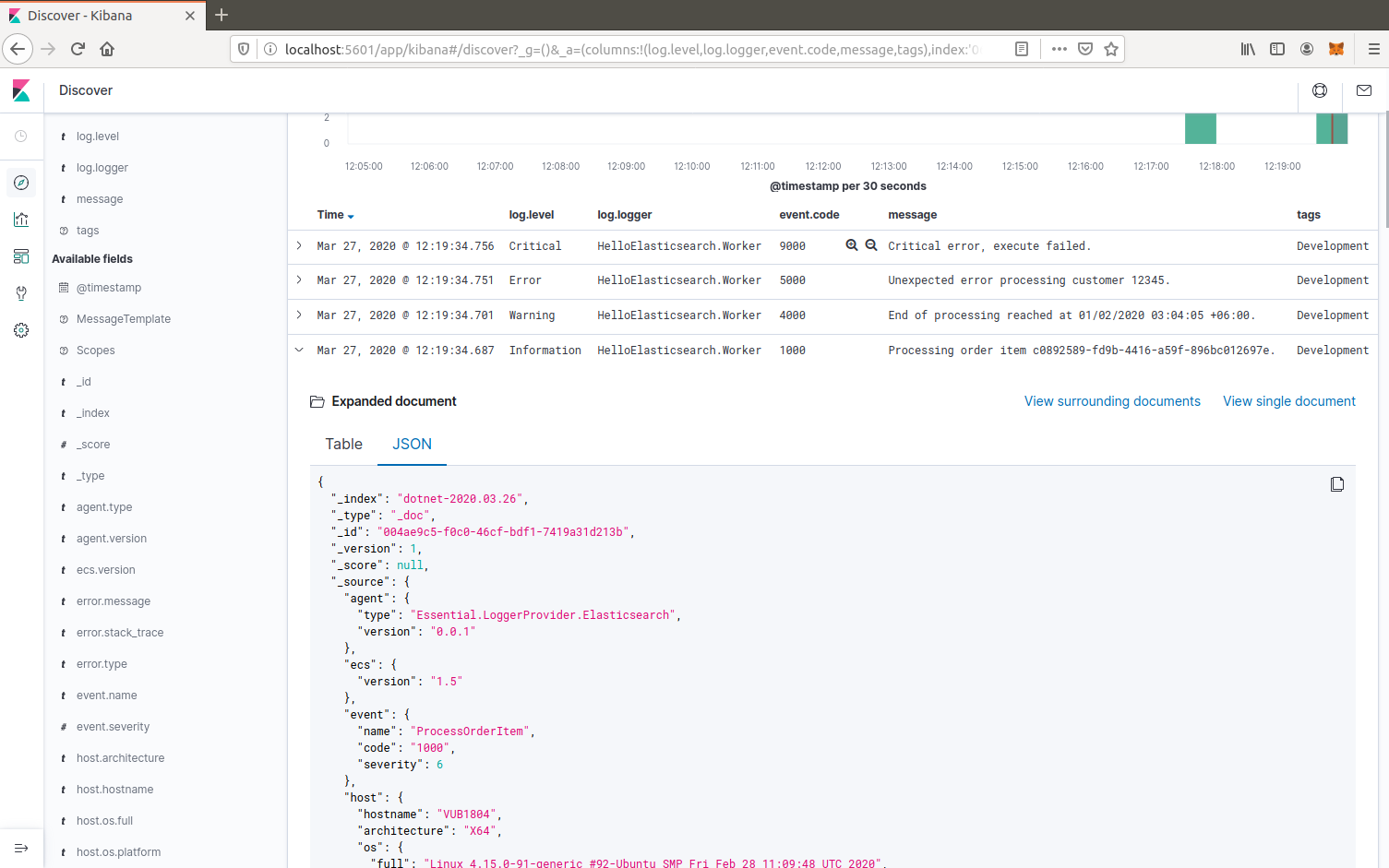
Once you have logged some events, open up Kibana (e.g. http://localhost:5601/) and define an index pattern for dotnet-* with the time filter @timestamp.

You can then discover the log events for the index. Some useful columns to add are log.level, log.logger, event.code, message, tags, and process.thread.id.

Structured message and scope values are logged as labels.* custom key/value pairs, e.g. labels.CustomerId.

Example: Elasticsearch via Kibana
Continue reading Elasticsearch-Logstash-Kibana (ELK) LoggerProvider for .NET Logging(4 min read)

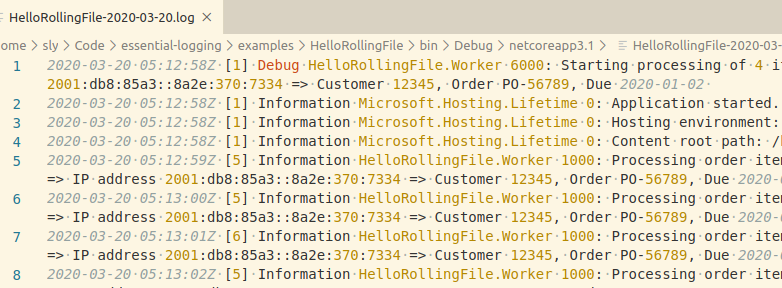
Rolling file LoggerProvider for .NET Logging(1 min read)

I have just released version 1.0 of the Rolling File Logger Provider as part of Essential Logging on Github, a port of my .NET diagnostics library across to Microsoft.Extensions.Logging.

To use, add the Essential.LoggerProvider.RollingFile package to your project via Nuget:

dotnet add package Essential.LoggerProvider.RollingFile

Then reference the namespace, and add the logger provider during host construction:

using Essential.LoggerProvider;

// ...

    .ConfigureLogging((hostContext, loggingBuilder) =>
    {
        loggingBuilder.AddRollingFile();
    })
Continue reading Rolling file LoggerProvider for .NET Logging(1 min read)

Eth 2.0 state transition(4 min read)

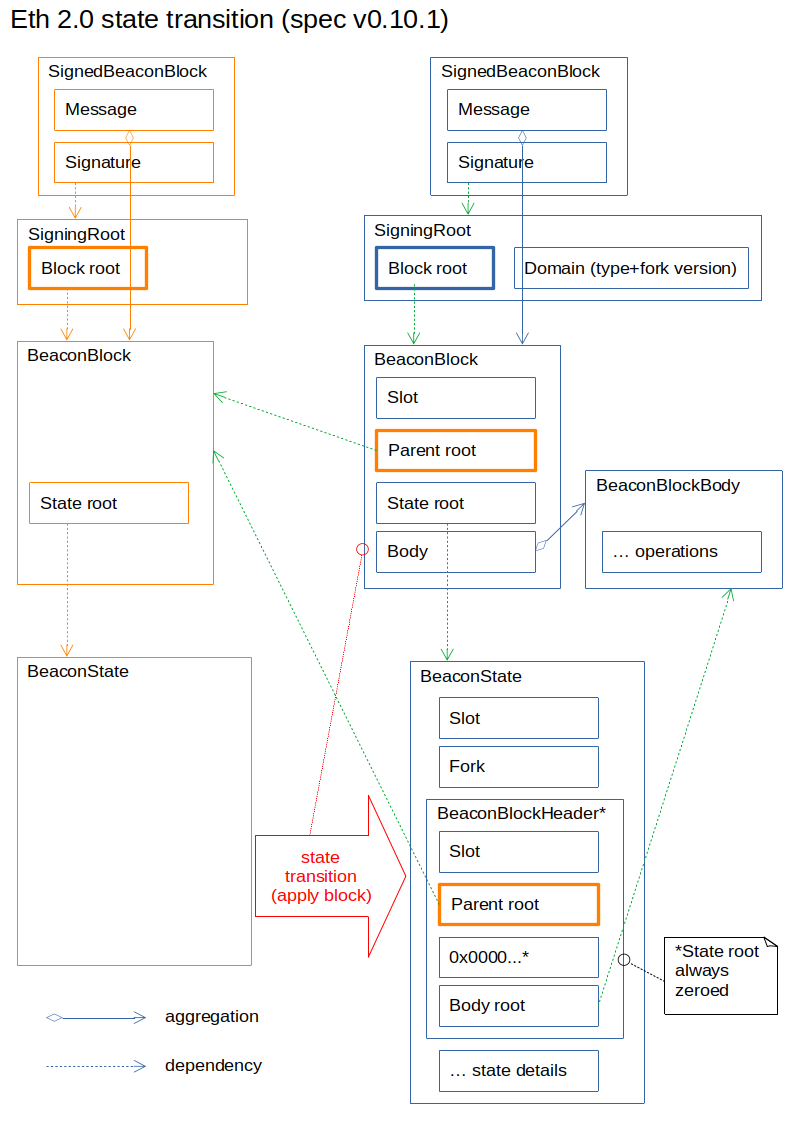
There is a lot of activity going on building the Ethereum 2.0 beacon chain, including the .NET client I am working on, Nethermind.

The beacon chain consists of blocks and a progressive state. Blocks are generated, signed, and transmitted across the network, then applied to transition the state. The following diagram shows the main relationships.

Continue reading Eth 2.0 state transition(4 min read)